




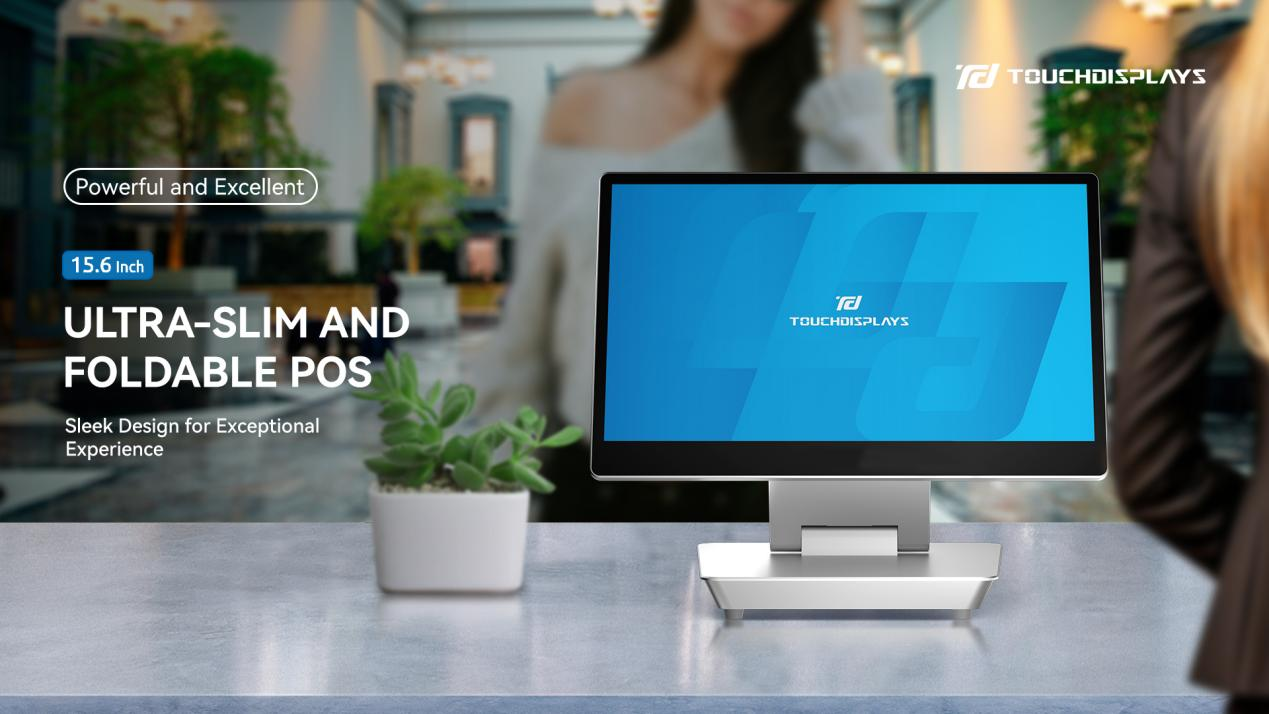
Yav dhau los, kev them nyiaj hauv tsev so ntsib ntau yam teeb meem. Thaum lub sijhawm sau npe thiab tawm mus ntau, yuav muaj cov kab ntev ntev ntawm lub rooj pem hauv ntej, vim tias cov neeg ua haujlwm tau siv zog ntau los suav cov nqi. Ntxiv mus, cov kev xaiv them nyiaj tsawg feem ntau ua rau cov qhua thiab cov neeg ua haujlwm chim siab. Txawm li cas los xij, kev tshwm sim ntawm POS terminals tau tshaj tawm txog kev hloov pauv tseem ceeb. Cov khoom siv zoo no tau tshwm sim ua cov cuab yeej tseem ceeb hauv kev ua haujlwm niaj hnub ntawm tsev so, ua kom cov haujlwm yooj yim dua thiab txhim kho cov kev pabcuam tag nrho.
Ntawm lub rooj pem hauv ntej ntawm lub tsev so, cov neeg ua haujlwm tuaj yeem siv cov POS terminals kom ua tiav cov xaj sai thiab tswj cov txheej txheem them tawm. Txawm tias cov qhua tuaj xyuas, xaj kev pabcuam hauv chav, lossis them lawv cov nyiaj kawg thaum tawm mus, lub tshuab tuaj yeem xam tag nrho cov nyiaj tshuav tam sim ntawd. Nws muaj ntau txoj hauv kev them nyiaj, suav nrog daim npav rho nyiaj, daim npav rho nyiaj, kev them nyiaj hauv xov tooj, thiab txawm tias pab txhawb kev pauv nyiaj txawv teb chaws rau cov neeg siv khoom thoob ntiaj teb. Qhov no tsis yog tsuas yog ua kom cov txheej txheem kev lag luam sai dua xwb tab sis kuj txo lub sijhawm tos rau cov qhua, yog li ua rau muaj kev xav zoo thaum pib thiab thaum kawg.
Ib qho ntawm cov yam ntxwv tseem ceeb tshaj plaws ntawm cov POS terminals hauv desktop yog lawv lub peev xwm los sau thiab tshuaj xyuas cov ntaub ntawv ntau heev hauv lub sijhawm tiag tiag. Lawv tuaj yeem taug qab cov lej muag khoom txhua hnub, cov nyiaj tau los ntawm ntau lub chaw haujlwm xws li chav, tsev noj mov thiab chaw so, lub sijhawm ua haujlwm siab tshaj plaws thiab cov kev pabcuam nrov. Nrog cov ntaub ntawv yooj yim thiab cov ntawv qhia ntxaws ntxaws, cov thawj coj tsev so tuaj yeem nkag siab txog kev ua haujlwm ntawm lawv lub tsev so.
Piv rau cov qauv sau nyiaj ntsuab ib txwm muaj, cov chaw them nqi POS tau hloov pauv qhov kev paub ntawm cov qhua. Los ntawm kev txo lub sijhawm tos, cov qhua tuaj yeem txaus siab rau kev nyob zoo dua thiab tsis muaj kev ntxhov siab. Ntau hom kev them nqi pab cov qhua uas muaj ntau yam kev nyiam, thaum cov yam ntxwv kev ruaj ntseg siab heev ua lub luag haujlwm tiv thaiv kev dag ntxias kev them nqi. Raws li kev soj ntsuam kev txaus siab ntawm cov qhua tsis ntev los no, cov tsev so uas muaj cov chaw them nqi POS tau pom kev txhim kho tseem ceeb hauv kev ntsuas tag nrho ntawm cov qhua, tshwj xeeb tshaj yog rau cov txheej txheem nkag thiab tawm tsis muaj kev cuam tshuam.
Siv cov ntaub ntawv uas tau los ntawm cov chaw muag khoom POS, cov tsev so tuaj yeem pib ua cov phiaj xwm lag luam uas tsom mus rau cov neeg siv khoom. Los ntawm kev txiav txim siab txog cov qhua tus cwj pwm siv khoom, kev nyiam cov khoom siv thiab qhov zaus mus xyuas, cov pab pawg lag luam tuaj yeem faib lawv cov neeg siv khoom thiab tsim cov kev pabcuam uas haum rau tus kheej. Piv txwv li, lub tsev so yuav muab cov luv nqi tshwj xeeb rau cov kev pabcuam spa rau cov qhua uas mus xyuas lub chaw qoj ib ce tas li. Qib kev hloov kho no tsis yog tsuas yog ua rau cov qhua muaj kev ntseeg siab ntxiv xwb, tab sis kuj tseem tsav kev loj hlob ntawm cov nyiaj tau los, vim tias cov qhua feem ntau yuav teb zoo rau cov kev pabcuam uas haum rau lawv tus kheej nyiam.
Thaum xaiv lub POS terminal rau lub tsev so, muaj ntau yam tseem ceeb uas yuav tsum xav txog. Ua ntej, kev ua haujlwm them nyiaj yuav tsum muaj txhij txhua, suav nrog txhua txoj kev them nyiaj loj thiab tshiab kom tau raws li qhov xav tau sib txawv ntawm cov qhua. Qhov thib ob, nws yuav tsum sib xws nrog lub tsev so lub tsev tswj hwm vaj tse uas twb muaj lawm kom ntseeg tau tias cov ntaub ntawv tsis muaj kev cuam tshuam thiab zam kev cuam tshuam kev ua haujlwm. Kev ruaj khov ntawm cov khoom siv kuj tseem ceeb heev, vim tias txhua lub sijhawm tsis ua haujlwm tuaj yeem ua rau muaj kev cuam tshuam loj heev rau kev pabcuam. Thaum kawg, tus neeg muag khoom yuav tsum muab kev pabcuam tom qab muag khoom kom ntseeg tau kom cov terminals ua haujlwm zoo tshaj plaws. TouchDisplays tsuas yog tus neeg muag khoom zoo rau kev lag luam tos txais qhua.
Nrog rau kev txhim kho sai ntawm thev naus laus zis, yav tom ntej ntawm POS terminals hauv kev lag luam tos txais qhua zoo li ci ntsa iab dua. Peb tuaj yeem pom ntau yam ntxwv muaj zog dua yav tom ntej, xws li kev koom ua ke nrog kev txawj ntse cuav rau kev pabcuam qhua tuaj yeem kwv yees tau, kev txheeb xyuas biometric zoo dua rau kev ruaj ntseg zoo dua, thiab kev sib txuas tsis muaj teeb meem nrog cov thev naus laus zis ntse hauv tsev so tshiab. Cov kev nce qib no yuav tsis tsuas yog ua kom cov haujlwm hauv tsev so yooj yim dua xwb, tab sis kuj qhib cov cib fim tshiab los tsim cov kev paub txog cov qhua tuaj yeem nco ntsoov thiab tsav kev loj hlob ntawm kev lag luam. Hauv xyoo tom ntej, POS terminals yuav tsis muaj qhov tsis ntseeg nyob hauv nruab nrab ntawm kev tsim kho tshiab ntawm kev tos txais qhua thiab ua lub luag haujlwm tseem ceeb hauv kev tsim yav tom ntej ntawm kev lag luam tos txais qhua.
Hauv Suav teb, rau lub ntiaj teb
Ua ib lub tuam txhab tsim khoom uas muaj kev paub dhau los hauv kev lag luam, TouchDisplays tsim cov kev daws teeb meem kov ntse. Tsim muaj xyoo 2009, TouchDisplays nthuav dav nws txoj kev lag luam thoob ntiaj teb hauv kev tsim khoom.Cov Chaw Muag Khoom POS,Cov Cim Qhia Digital Sib Tham,Kov Saib Xyuas, thiabRooj Sib Tham Hauv Hluav Taws Xob.
Nrog pab pawg R&D tshaj lij, lub tuam txhab mob siab rau kev muab thiab txhim kho cov kev daws teeb meem ODM thiab OEM uas txaus siab, muab cov kev pabcuam kho kom haum rau hom lag luam thiab khoom lag luam zoo tshaj plaws.
Ntseeg TouchDisplays, tsim koj lub npe zoo tshaj plaws!
Tiv tauj peb
Email: info@touchdisplays-tech.com
Tus Xov Tooj Hu Rau: +86 13980949460 (Skype/ WhatsApp/ Wechat)
Lub sijhawm tshaj tawm: Lub Ib Hlis-09-2025